React Postprocessing
Full documentation content.
{/* your effects go here */}
```
]]> This library provides an EffectPass which automatically organizes and merges
> any given combination of effects. This minimizes the amount of render
> operations and makes it possible to combine many effects without the
> performance penalties of traditional pass chaining. Additionally, every effect
> can choose its own blend function.
>
> All fullscreen render operations also use a single triangle that fills the
> screen. Compared to using a quad, this approach harmonizes with modern GPU
> rasterization patterns and eliminates unnecessary fragment calculations along
> the screen diagonal. This is especially beneficial for GPGPU passes and
> effects that use complex fragment shaders.
Postprocessing also supports gamma correction out of the box, as well as WebGL2
MSAA (multi sample anti aliasing), which is react-postprocessing's default, you
get high performance crisp results w/o jagged edges.
#### What does it look like?
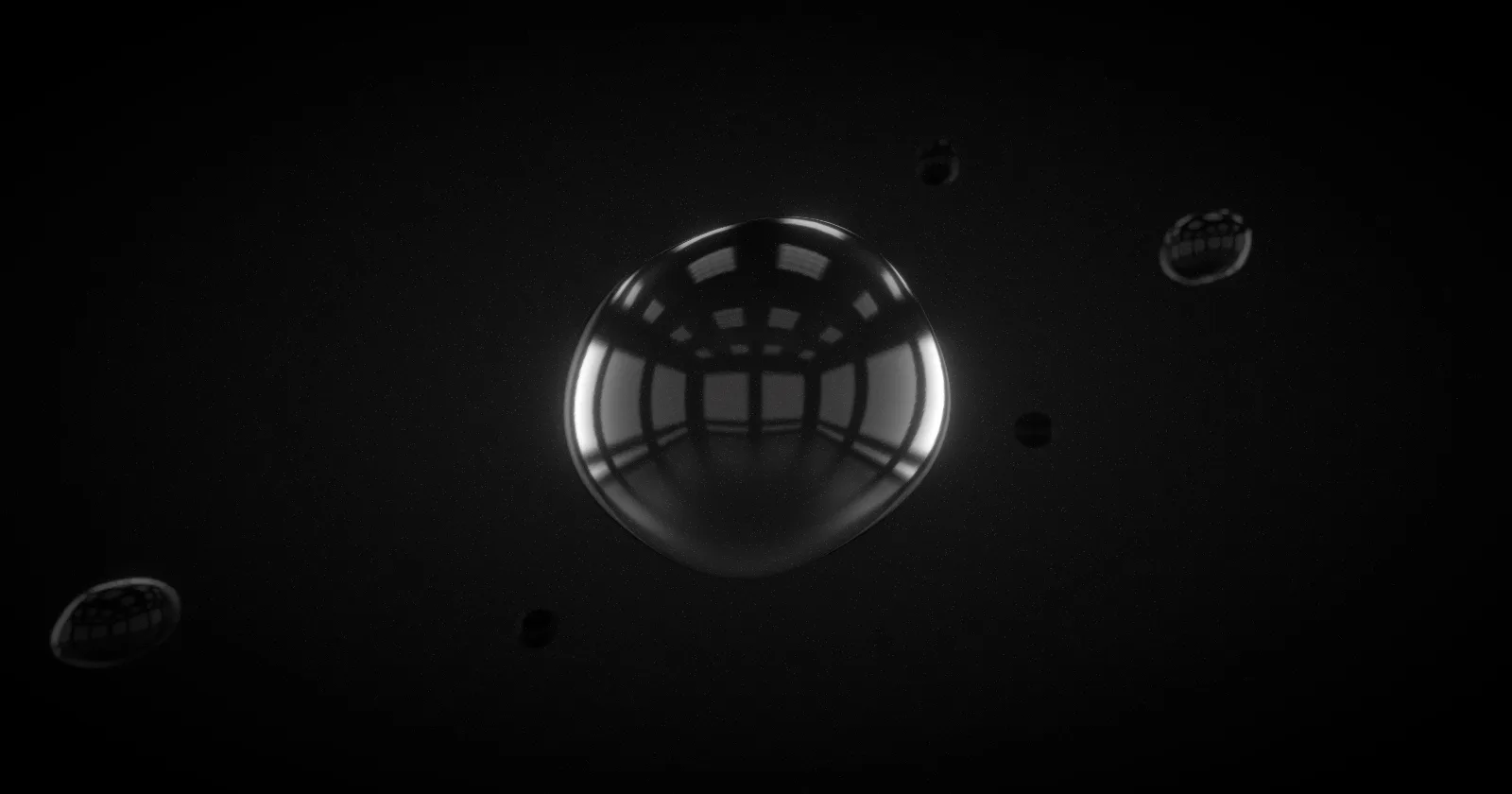
Here's an example combining a couple of effects
([live demo](https://pmndrs.github.io/examples/bubbles)).
```jsx
import React from 'react'
import { Bloom, DepthOfField, EffectComposer, Noise, Vignette } from '@react-three/postprocessing'
import { Canvas } from '@react-three/fiber'
function App() {
return (
)
}
```
## Documentation
- [react-postprocessing docs](https://docs.pmnd.rs/react-postprocessing)
- [postprocessing docs](https://pmndrs.github.io/postprocessing/public/docs/)
]]>
)
```
## Props
| Name | Type | Default | Description |
| ---------- | ------- | ----------------------- | ------------------------------------------------------------------ |
| font | String | 'arial' | The font family used to draw the character atlas. |
| characters | String | ` .:,'-^=*+?!\|0#X%WM@` | The characters to sample from, ordered from "empty" to "dense". |
| fontSize | Number | 54 | The font size used to draw the character atlas. |
| cellSize | Number | 16 | The size of each character cell, in pixels. |
| color | String | '#ffffff' | The color of the characters. |
| invert | Boolean | false | Inverts which characters map to bright vs dark pixels. |
]]>`.
Based on [ektogamat/AutoFocusDOF](https://github.com/ektogamat/AutoFocusDOF).
```tsx
export type AutofocusProps = typeof DepthOfField & {
target?: [number, number, number] // undefined
mouse?: boolean // false
debug?: number // undefined
manual?: boolean // false
smoothTime?: number // .25
}
```
```tsx
```
Ref-api:
```tsx
type AutofocusApi = {
dofRef: RefObject
hitpoint: THREE.Vector3
update: (delta: number, updateTarget: boolean) => void
}
```
```tsx
```
Associated with `manual` prop, you can for example, animate the DOF target yourself:
```tsx
useFrame((_, delta) => {
const api = autofocusRef.current
api.update(delta, false) // update hitpoint only
easing.damp3(api.dofRef.curent.target, api.hitpoint, 0.5, delta) // custom easing
})
```
## Example
]]>
)
```
Bloom is selective by default, you control it not on the effect pass but on the
materials by lifting their colors out of 0-1 range. a `luminanceThreshold` of 1
ensures that ootb nothing will glow, only the materials you pick. For this to
work `toneMapped` has to be false on the materials, because it would otherwise
clamp colors between 0 and 1 again.
```jsx
// ❌ will not glow, same as RGB [1,0,0]
// ✅ will glow, same as RGB [2,0,0]
// ❌ will not glow, same as RGB [1,0,0]
// ❌ will not glow, same as RGB [1,0,0], tone-mapping will clamp colors between 0 and 1
// ✅ will glow, same as RGB [2,0,0]
```
## Example
## Props
| Name | Type | Default | Description |
| ------------------ | ------------------------------------------------------------------------------------------------------------ | -------------------- | ---------------------------------------------------------------------------------------------------- |
| luminanceThreshold | Number | 0.9 | The luminance threshold. Raise this value to mask out darker elements in the scene. Range is [0, 1]. |
| luminanceSmoothing | Number | 0.025 | Controls the smoothness of the luminance threshold. Range is [0, 1]. |
| blendFunction | BlendFunction | BlendFunction.SCREEN | The blend function of this effect. |
| intensity | Number | 1 | The intensity. |
| resolutionX | Number | Resizer.AUTO_SIZE | The render width. |
| resolutionY | Number | Resizer.AUTO_SIZE | The render height. |
| kernelSize | Number | KernelSize.LARGE | The blur kernel size. |
| blurPass | [BlurPass](https://vanruesc.github.io/postprocessing/public/docs/class/src/passes/BlurPass.js~BlurPass.html) | null | An efficient, incremental blur pass. |
| mipMap | Boolean |
]]>
)
```
## Example
## Props
| Name | Type | Default | Description |
| ---------- | ------ | ------- | ---------------------- |
| brightness | Number | 0 | Scene brightness shift |
| contrast | Number | 0 | Scene contrast shift |
]]>
)
```
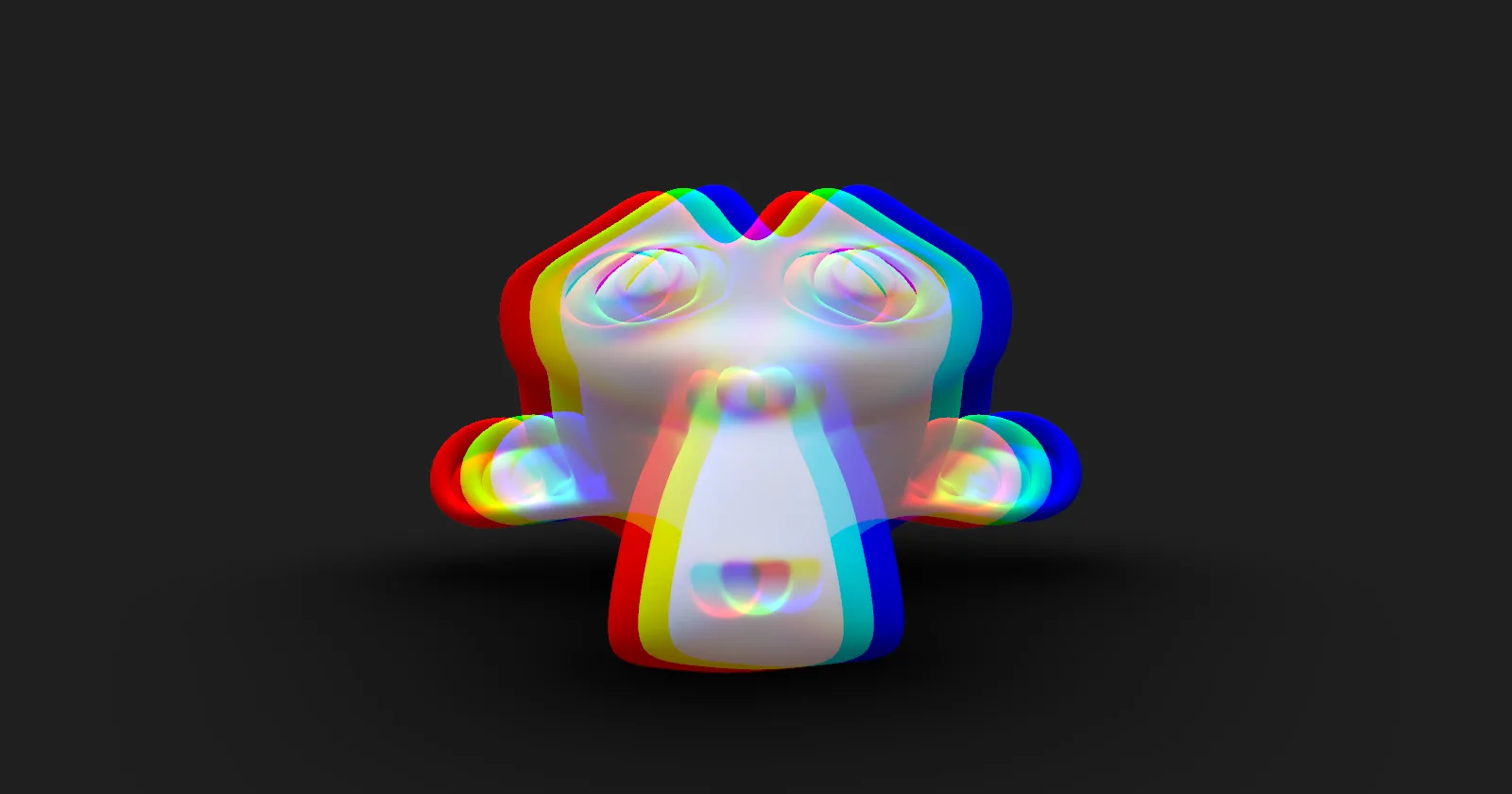
## Example
[](https://pmndrs.github.io/examples/chromatic-aberration)
## Props
| Name | Type | Default | Description |
| ------------- | ------------- | -------------------- | ---------------------------------- |
| offset | Vector2 | | The color offset. |
| blendFunction | BlendFunction | BlendFunction.Normal | The blend function of this effect. |
]]>
)
```
## Example
## Props
| Name | Type | Default | Description |
| ------------- | ------------- | -------------------- | ---------------------------------- |
| blendFunction | BlendFunction | BlendFunction.NORMAL | The blend function of this effect. |
]]>
)
```
## Props
| Name | Type | Default | Description |
| ------------- | -------------- | -------- | --------------------------------------------------------------------------------------------------------- |
| blendFunction | BlendFunction | | The blend function of this effect. |
| bits | Number | 16 | The virtual amount of color bits. Each color channel effectively uses a fourth of this total; alpha is unaffected. |
]]>
)
```
## Example
## Props
| Name | Type | Default | Description |
| ------------- | ------------- | -------------------- | --------------------------------------------------- |
| blendFunction | BlendFunction | BlendFunction.NORMAL | The blend function of this effect. |
| focusDistance | Number | 0 | The normalized focus distance. Range is [0.0, 1.0]. |
| focalLength | Number | 0.1 | The focal length. Range is [0.0, 1.0]. |
| bokehScale | Number | 1.0 | The scale of the bokeh blur. |
| width | Number | Resizer.width | The render width. |
| height | Number | Resizer.height | The render height. |
]]>
)
```
## Props
| Name | Type | Default | Description |
| ------------- | ------------- | --------------------- | ---------------------------------------- |
| blendFunction | BlendFunction | BlendFunction.SRC | The blend function of this effect. |
| inverted | Boolean | false | Whether the depth should be inverted. |
]]>
)
```
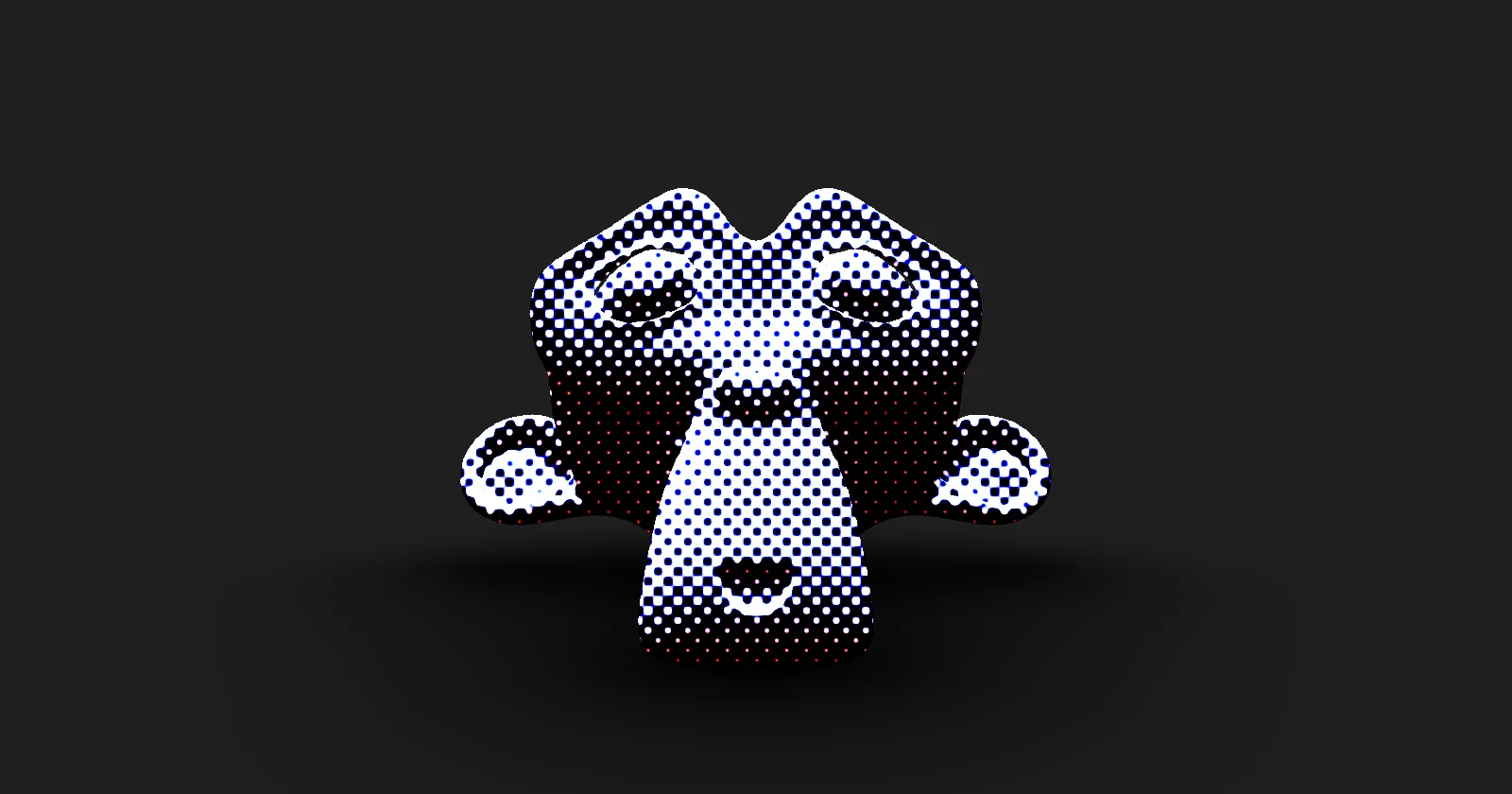
## Example
[](https://pmndrs.github.io/examples/dot-screen)
## Props
| Name | Type | Default | Description |
| ------------- | ------------- | -------------------- | ---------------------------------- |
| angle | Number | 1 .57 | The angle of the dot pattern. |
| blendFunction | BlendFunction | BlendFunction.NORMAL | The blend function of this effect. |
| scale | Number | 1 .57 | The scale of the dot pattern. |
]]>
)
```
## Props
| Name | Type | Default | Description |
| ----------------- | ------------- | -------------------- | -------------------------------------------------------- |
| blendFunction | BlendFunction | BlendFunction.SRC | The blend function of this effect. |
| minEdgeThreshold | Number | 0.0312 | The minimum edge detection threshold. Range [0.0, 1.0]. |
| maxEdgeThreshold | Number | 0.125 | The maximum edge detection threshold. Range [0.0, 1.0]. |
| subpixelQuality | Number | 0.75 | The subpixel blend quality. Range [0.0, 1.0]. |
| samples | Number | 12 | The maximum amount of edge detection samples. |
]]>
)
```
## Example
## Props
| Name | Type | Default | Description |
| ------------------------- | ------------- | -------------------- | ----------------------------------------------------------------------------------------- |
| active | Boolean | true | Turn the effect on and off |
| blendFunction | BlendFunction | BlendFunction.NORMAL | The blend function of this effect. |
| chromaticAberrationOffset | Vector2 | | A chromatic aberration offset. If provided, the glitch effect will influence this offset. |
| delay | Vector2 | | The minimum and maximum delay between glitch activations in seconds. |
| duration | Vector2 | | The minimum and maximum duration of a glitch in seconds. |
| strength | Vector2 | | The strength of weak and strong glitches. |
| perturbationMap | Texture | | A perturbation map. If none is provided, a noise texture will be created. |
| dtSize | Number | 64 | The size of the generated noise map. Will be ignored if a perturbation map is provided. |
| columns | Number | 0.05 | The scale of the blocky glitch columns. |
| ratio | Number | 0.85 | The threshold for strong glitches. |
]]>
)
```
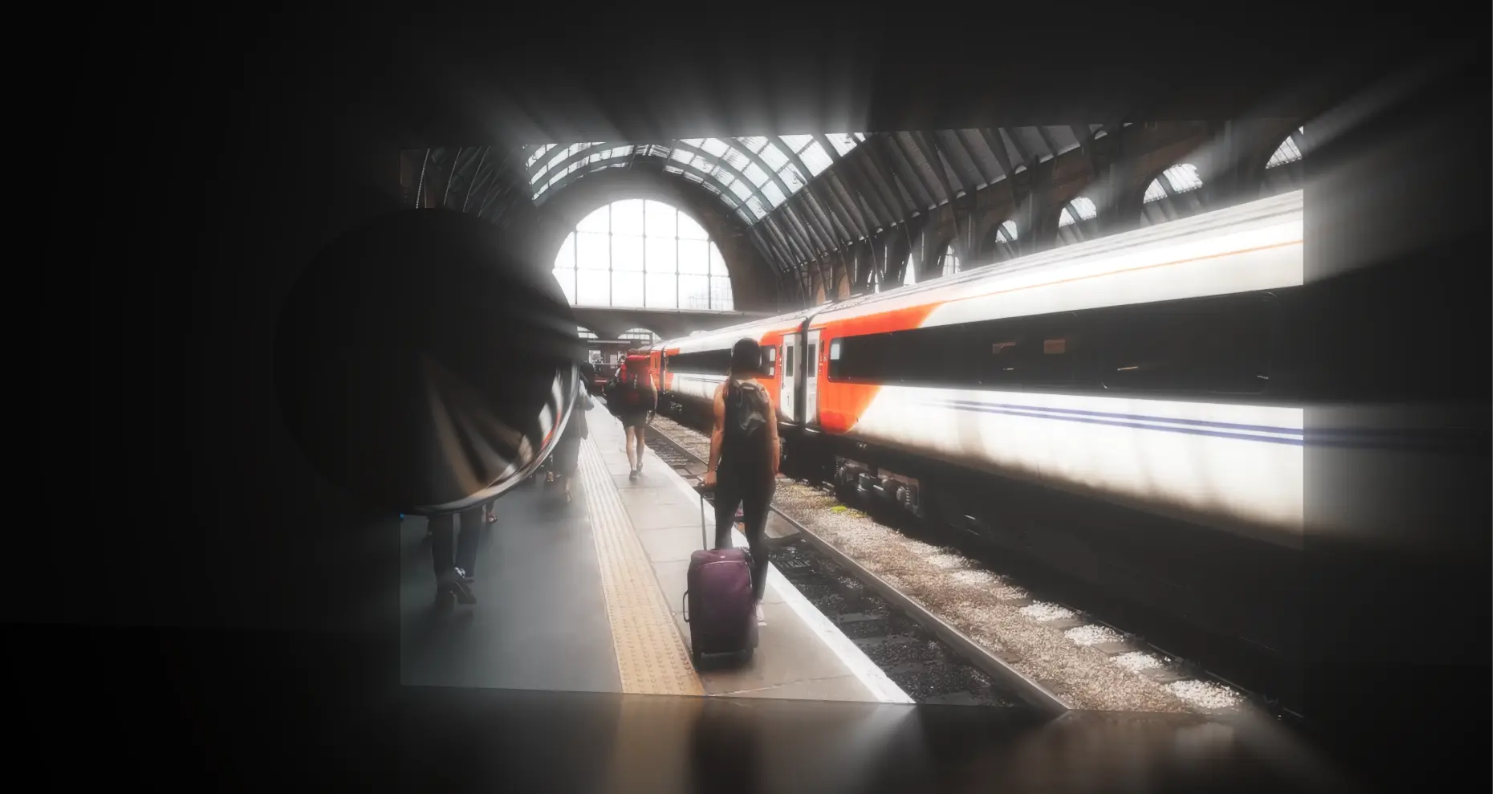
## Example
[](https://pmndrs.github.io/examples/volumetric-light-godray)
## Props
| Name | Type | Default | Description |
| ------------- | ------------------------------------------------------------------------------------------------------------------ | -------------------- | ---------------------------------------------------------------------------- |
| sun | Ref | | The light source. Must not write depth and has to be flagged as transparent. |
| blendFunction | BlendFunction | BlendFunction.Screen | The blend function of this effect. |
| samples | Number | 60 | The number of samples per pixel. |
| density | Number | 0.96 | The density of the light rays. |
| decay | Number | 0.9 | An illumination decay factor. |
| weight | Number | 0.4 | A light ray weight factor. |
| exposure | Number | 0.6 | A constant attenuation coefficient. |
| clampMax | Number | 1 | An upper bound for the saturation of the overall effect. |
| width | Number | Resizer.AUTO_SIZE | The render width. |
| height | Number | Resizer.AUTO_SIZE | The render height. |
| kernelSize | [KernelSize](https://vanruesc.github.io/postprocessing/public/docs/variable/index.html#static-variable-KernelSize) | KernelSize.SMALL | The blur kernel size. Has no effect if blur is disabled. |
| blur | Boolean | true | Whether the god rays should be blurred to reduce artifacts |
]]>
)
```
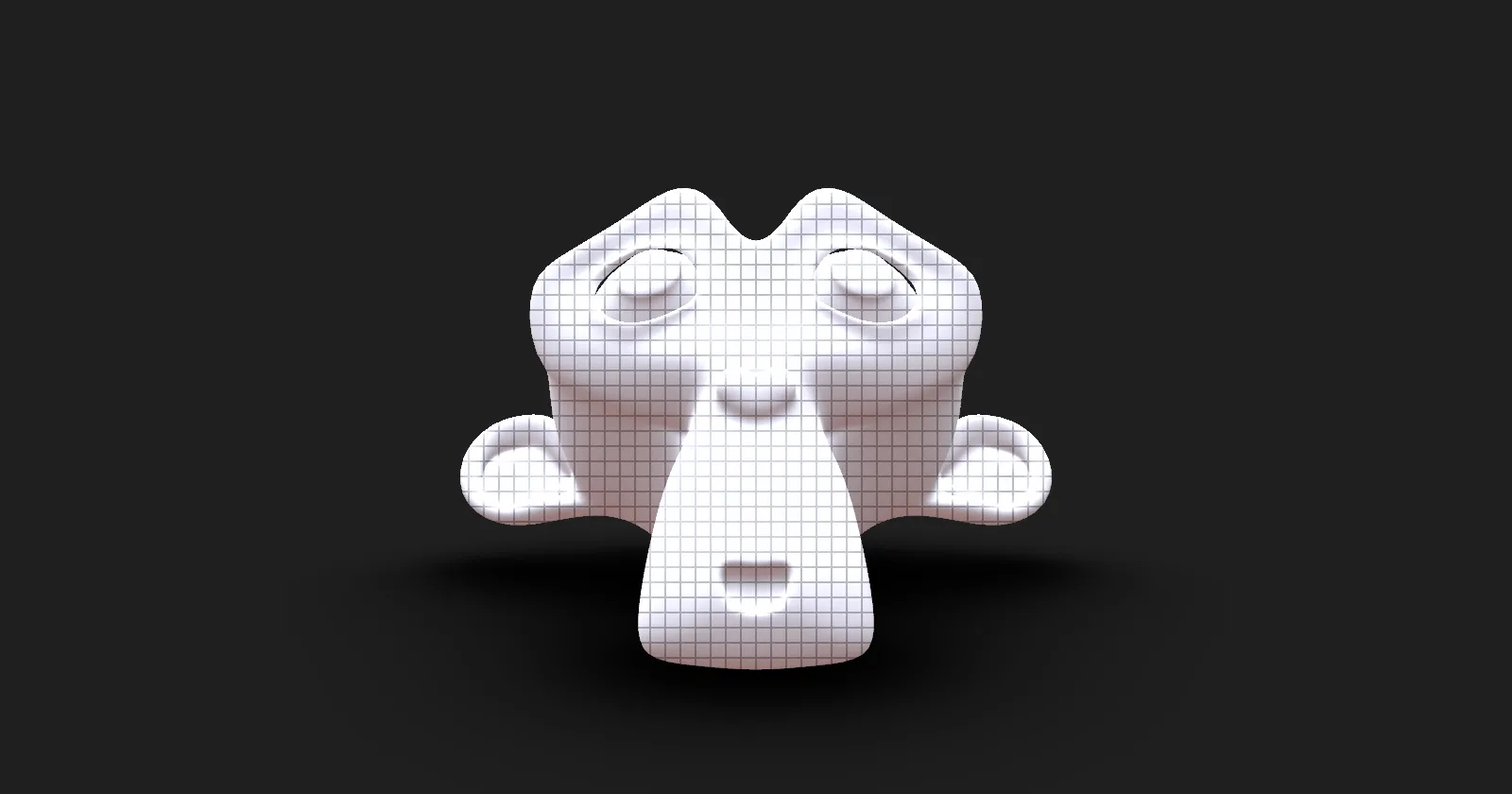
## Example
[](https://pmndrs.github.io/examples/grid)
## Props
| Name | Type | Default | Description |
| ------------- | ------------- | -------------------- | ---------------------------------- |
| blendFunction | BlendFunction | BlendFunction.NORMAL | The blend function of this effect. |
| scale | Number | 1 | The scale of the grid pattern. |
| lineWidth | Number | 0 | The blend function of this effect. |
| width | Number | | Overrides the default pass width |
| height | Number | | Overrides the default pass height |
]]>
)
```
## Example
## Props
| Name | Type | Default | Description |
| ------------- | ------------- | ------- | ---------------------------------- |
| hue | Number | 0 | Hue shift in radians |
| saturation | Number | 0 | Saturation value in radians |
| blendFunction | BlendFunction | | The blend function of this effect. |
]]>
```
## Ignoring occlusion on some objects
To disable the occlusion effect, simply add `userData={{ lensflare: 'no-occlusion' }}` to your object/mesh props.
## Improving performance
Use bvh `` to enhance the internal raycaster performance.
## Limitations
The Ultimate Lens Flare leverages the raycaster to examine the material type of objects and determine if they are `MeshTransmissionMaterial` or `MeshPhysicalMaterial`. It checks for the transmission parameter to identify glass-like materials. Therefore, for an object to behave like glass, its material should have either `transmission = 1` or `transparent = true` and `opacity = NUMBER`. The effect automatically interprets the opacity `NUMBER` value to determine the brightness of the flare.
## Credits
- https://www.shadertoy.com/view/4sK3W3
- https://www.shadertoy.com/view/4sX3Rs
- https://www.shadertoy.com/view/dllSRX
- https://www.shadertoy.com/view/Xlc3D2
- https://www.shadertoy.com/view/XtKfRV
]]>
)
```
## Props
| Name | Type | Default | Description |
| ------------------------ | ------------- | -------------------- | ----------------------------------------------------- |
| lut | Texture | | The lookup texture. Required. |
| blendFunction | BlendFunction | BlendFunction.SRC | The blend function of this effect. |
| tetrahedralInterpolation | Boolean | false | Enables or disables tetrahedral interpolation. |
]]>`.
```jsx
import { N8AO } from '@react-three/postprocessing'
return (
)
```
## Props
| Name | Type | Default | Description |
| -------------------- | ------------------------------------------------------- | ------------- | --------------------------------------------------------- |
| aoRadius | Number | 5 | The ambient occlusion sampling radius. |
| distanceFalloff | Number | 1 | The distance falloff. |
| intensity | Number | 1 | The effect intensity. |
| quality | 'performance' \| 'low' \| 'medium' \| 'high' \| 'ultra' | 'performance' | The quality preset. |
| aoSamples | Number | 16 | The amount of ambient occlusion samples per frame. |
| denoiseSamples | Number | 4 | The amount of denoise samples per frame. |
| denoiseRadius | Number | 12 | The denoise sampling radius. |
| color | Color | undefined | Tints the occlusion. Defaults to black. |
| halfRes | Boolean | false | Renders the effect at half resolution. |
| depthAwareUpsampling | Boolean | true | Enables or disables depth-aware upsampling. |
| screenSpaceRadius | Boolean | false | Scales the sampling radius with distance from the camera. |
| renderMode | 0 \| 1 \| 2 \| 3 \| 4 | 0 | 0: Combined, 1: AO only, 2: No AO, 3: Split, 4: Split AO. |
]]>
)
```
## Example
## Props
| Name | Type | Default | Description |
| ------------- | ------------- | -------------------- | ------------------------------------------------------------ |
| premultiply | Boolean | false | Whether the noise should be multiplied with the input color. |
| blendFunction | BlendFunction | BlendFunction.SCREEN | The blend function of this effect. |
]]>
)
```
## Example
[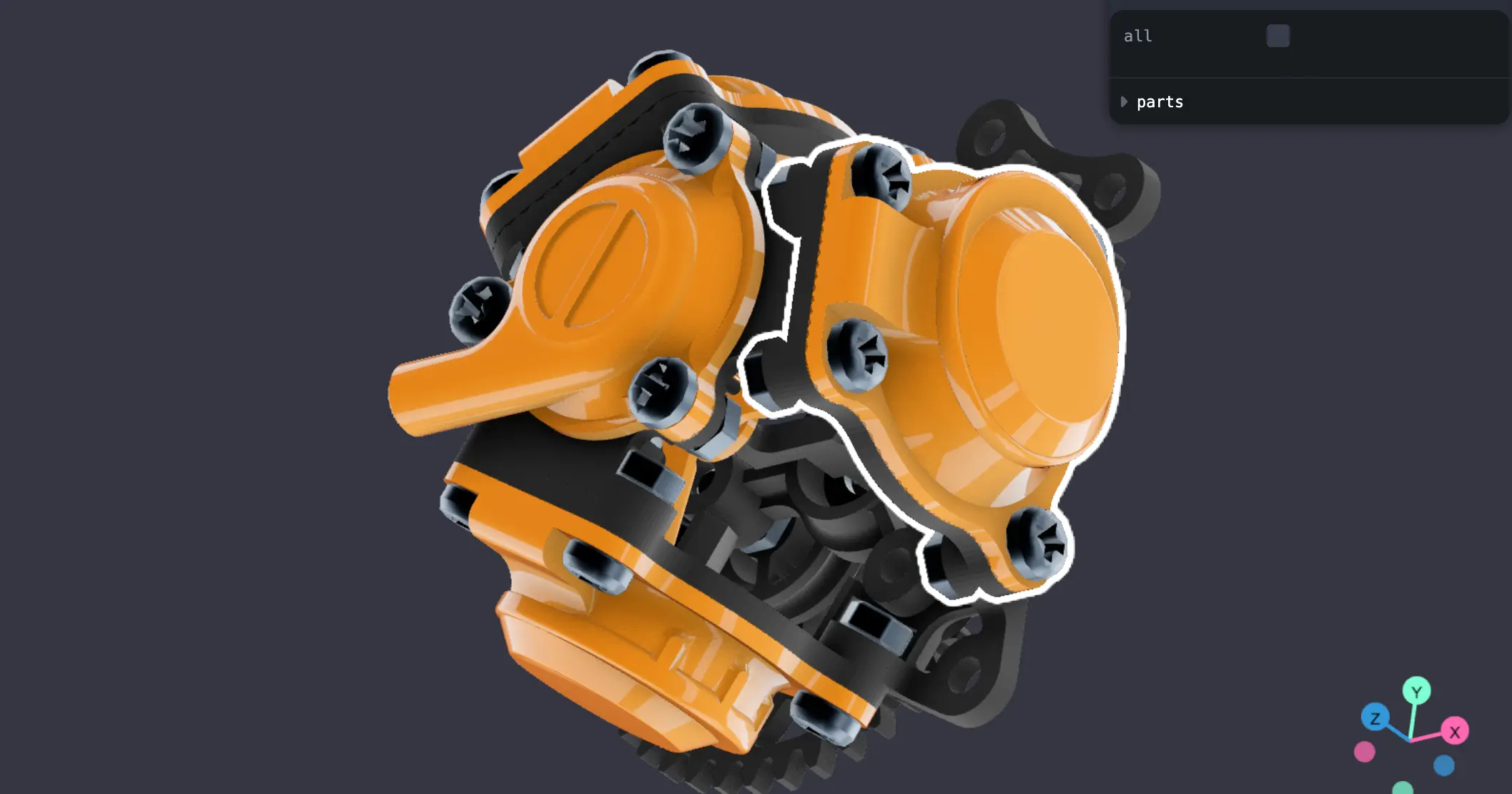](https://pmndrs.github.io/examples/react-pp-outlines/)
## Props
| Name | Type | Default | Description |
| ---------------- | ------------- | --------------------- | -------------------------------------------------------------------------- |
| selection | Objects | | Selection of objects that will be outlined |
| selectionLayer | Number | 10 | The selection layer |
| blendFunction | BlendFunction | BlendFunction.SCREEN | The blend function of this effect. |
| patternTexture | Texture | null | A pattern texture. |
| patternScale | Number | 1.0 | The pattern texture scale. |
| edgeStrength | Number | 1.0 | The edge strength. |
| pulseSpeed | Number | 0 | The pulse speed. A value of zero disables the pulse effect. |
| visibleEdgeColor | Number | 0xffffff | The color of visible edges. |
| hiddenEdgeColor | Number | 0x22090a | The color of hidden edges. |
| multisampling | Number | 0 | The number of samples used for multisample antialiasing. Requires WebGL 2. |
| resolutionScale | Number | 0.5 | The render resolution scale. |
| resolutionX | Number | Resolution.AUTO_SIZE | The render width. |
| resolutionY | Number | Resolution.AUTO_SIZE | The render height. |
| kernelSize | KernelSize | KernelSize.VERY_SMALL | The blur kernel size. |
| blur | Boolean | false | Whether the outline should be blurred. |
| xRay | Boolean | true | Whether occluded parts of selected objects should be visible. |
]]>
)
```
## Example
[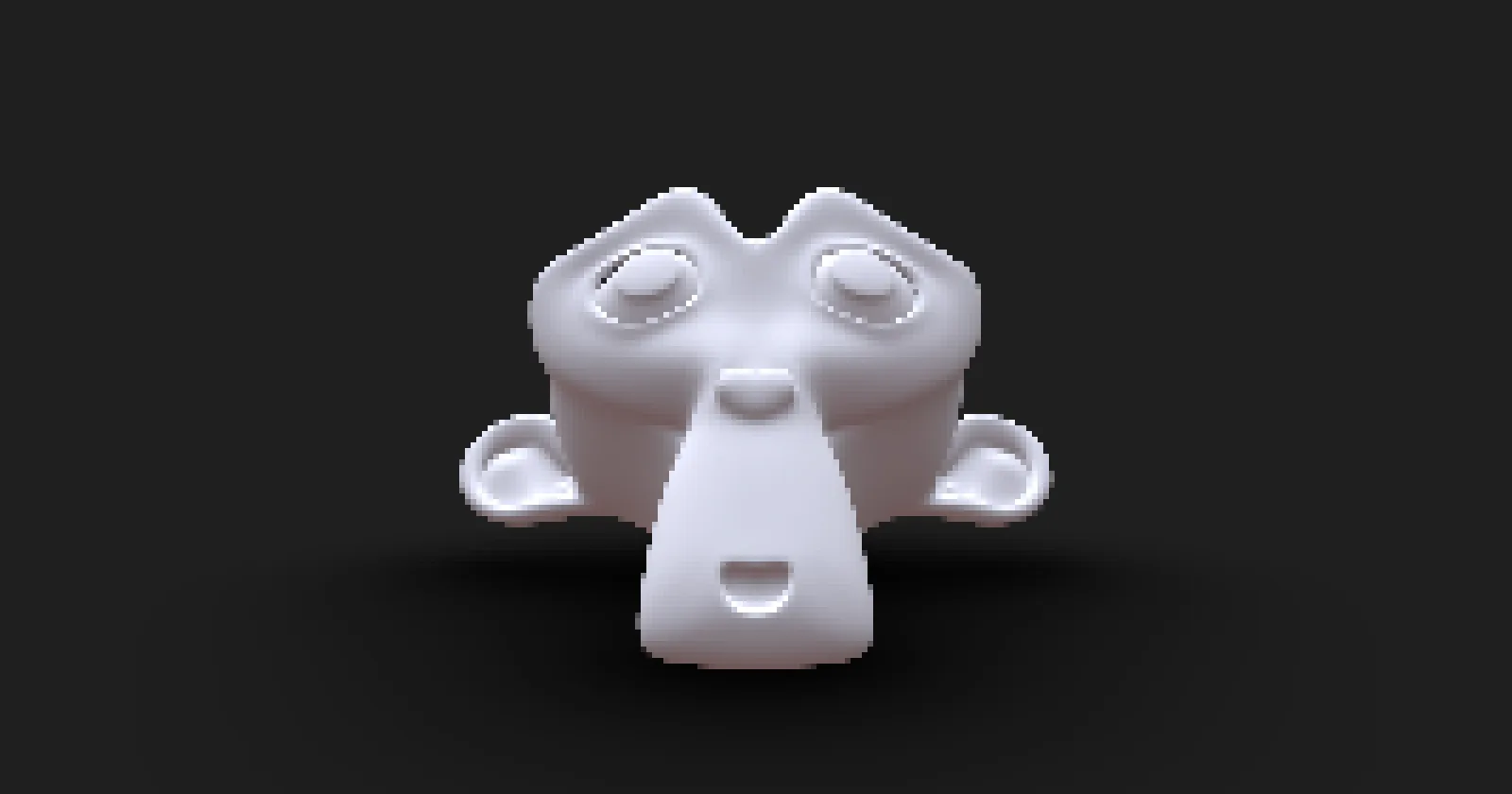](https://pmndrs.github.io/examples/pixelation)
## Props
| Name | Type | Default | Description |
| ----------- | ------ | ------- | ----------- |
| granularity | Number | 30 | Pixel Size |
]]>
)
```
## Example
## Props
| Name | Type | Default | Description |
| ---------- | -------------------------------------------- | --------------- | -------------------------------------------------------------------------------------------------------------- |
| rampType | RampType | RampType.Linear | Type of ramp gradient. |
| rampStart | [x: number, y: number] | [0.5, 0.5] | Starting point of the ramp gradient in normalized coordinates. |
| rampEnd | [x: number, y: number] | [1.0, 1.0] | Ending point of the ramp gradient in normalized coordinates. |
| startColor | [r: number, g: number, b: number, a: number] | [0, 0, 0, 1] | Color at the starting point of the gradient. |
| endColor | [r: number, g: number, b: number, a: number] | [1, 1, 1, 1] | Color at the ending point of the gradient. |
| rampBias | number | 0.5 | Bias for the interpolation curve when both bias and gain are 0.5. |
| rampGain | number | 0.5 | Gain for the interpolation curve when both bias and gain are 0.5. |
| rampMask | boolean | false | When enabled, the ramp gradient is used as an effect mask, and colors are ignored. |
| rampInvert | boolean | false | Controls whether the ramp gradient is inverted. When disabled, rampStart is transparent and rampEnd is opaque. |
]]>
)
```
## Example
[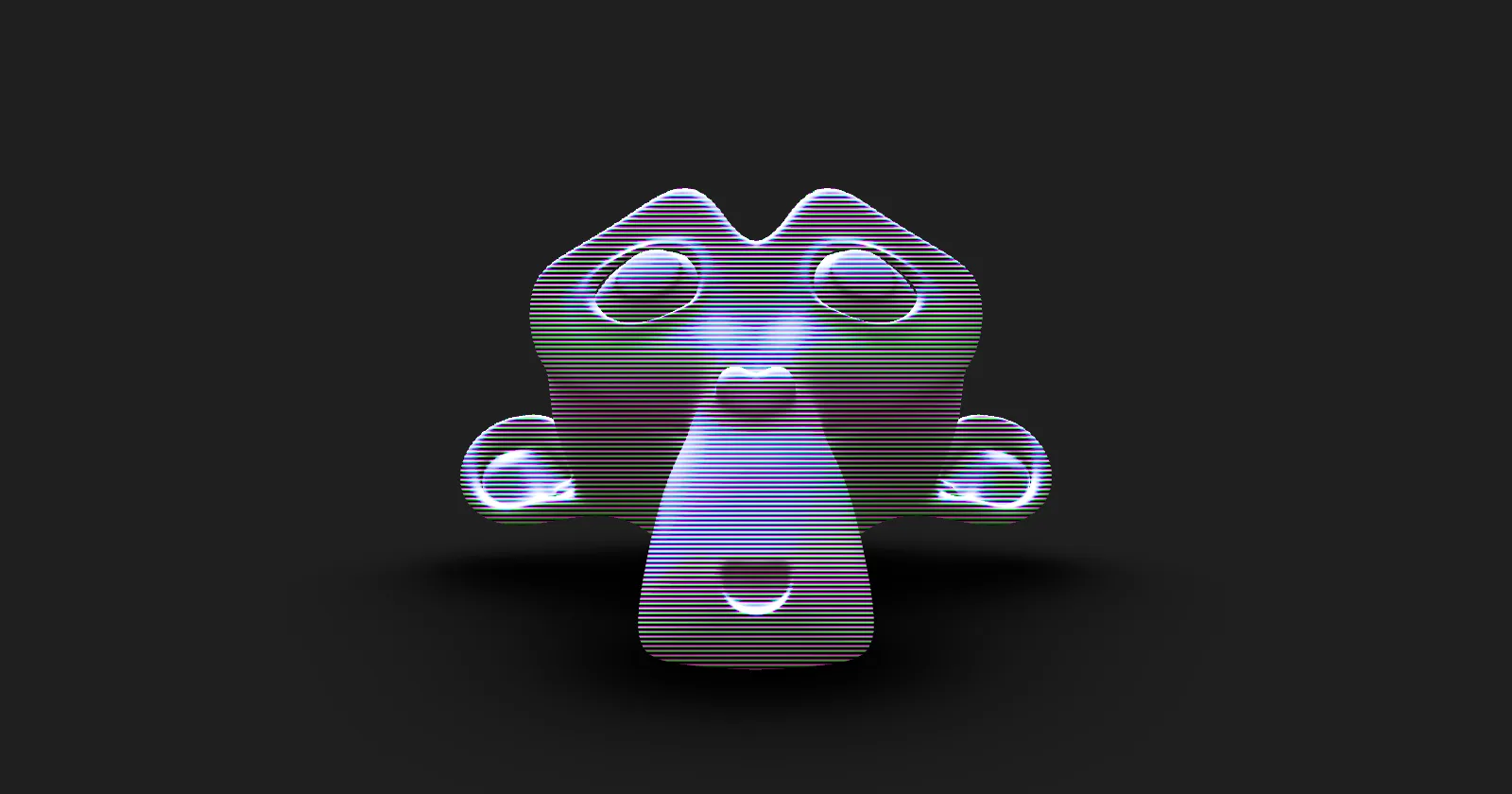](https://pmndrs.github.io/examples/scanline)
## Props
| Name | Type | Default | Description |
| ------------- | ------------- | --------------------- | ---------------------------------- |
| density | Number | 1.25 | The scanline density. |
| blendFunction | BlendFunction | BlendFunction.OVERLAY | The blend function of this effect. |
]]>
)
```
## Props
| Name | Type | Default | Description |
| ------------------ | ------------- | -------------------- | ---------------------------------------------------------------------------------------------------- |
| selection | Objects | | Selection of objects that will have the bloom effect |
| lights | Lights | | All lights that will affect the effect - required |
| selectionLayer | Number | 10 | The selection layer |
| inverted | Boolean | false | Consider the selection inverted. |
| ignoreBackground | Boolean | false | Discard the background of the selection. |
| blendFunction | BlendFunction | BlendFunction.SCREEN | The blend function of this effect. |
| luminanceThreshold | Number | 1.0 | The luminance threshold. Raise this value to mask out darker elements in the scene. Range is [0, 1]. |
| luminanceSmoothing | Number | 0.03 | Controls the smoothness of the luminance threshold. Range is [0, 1]. |
| mipmapBlur | Boolean | true | Enables or disables mipmap blur. |
| intensity | Number | 1.0 | The bloom intensity. |
| radius | Number | 0.85 | The blur radius. Only applies to mipmap blur. |
| levels | Number | 8 | The amount of MIP levels. Only applies to mipmap blur. |
| kernelSize | KernelSize | KernelSize.LARGE | The blur kernel size. Ignored if `mipmapBlur` is enabled. |
| resolutionScale | Number | 0.5 | The render resolution scale. Ignored if `mipmapBlur` is enabled. |
| resolutionX | Number | Resolution.AUTO_SIZE | The render width. Ignored if `mipmapBlur` is enabled. |
| resolutionY | Number | Resolution.AUTO_SIZE | The render height. Ignored if `mipmapBlur` is enabled. |
]]>
)
```
## Example
[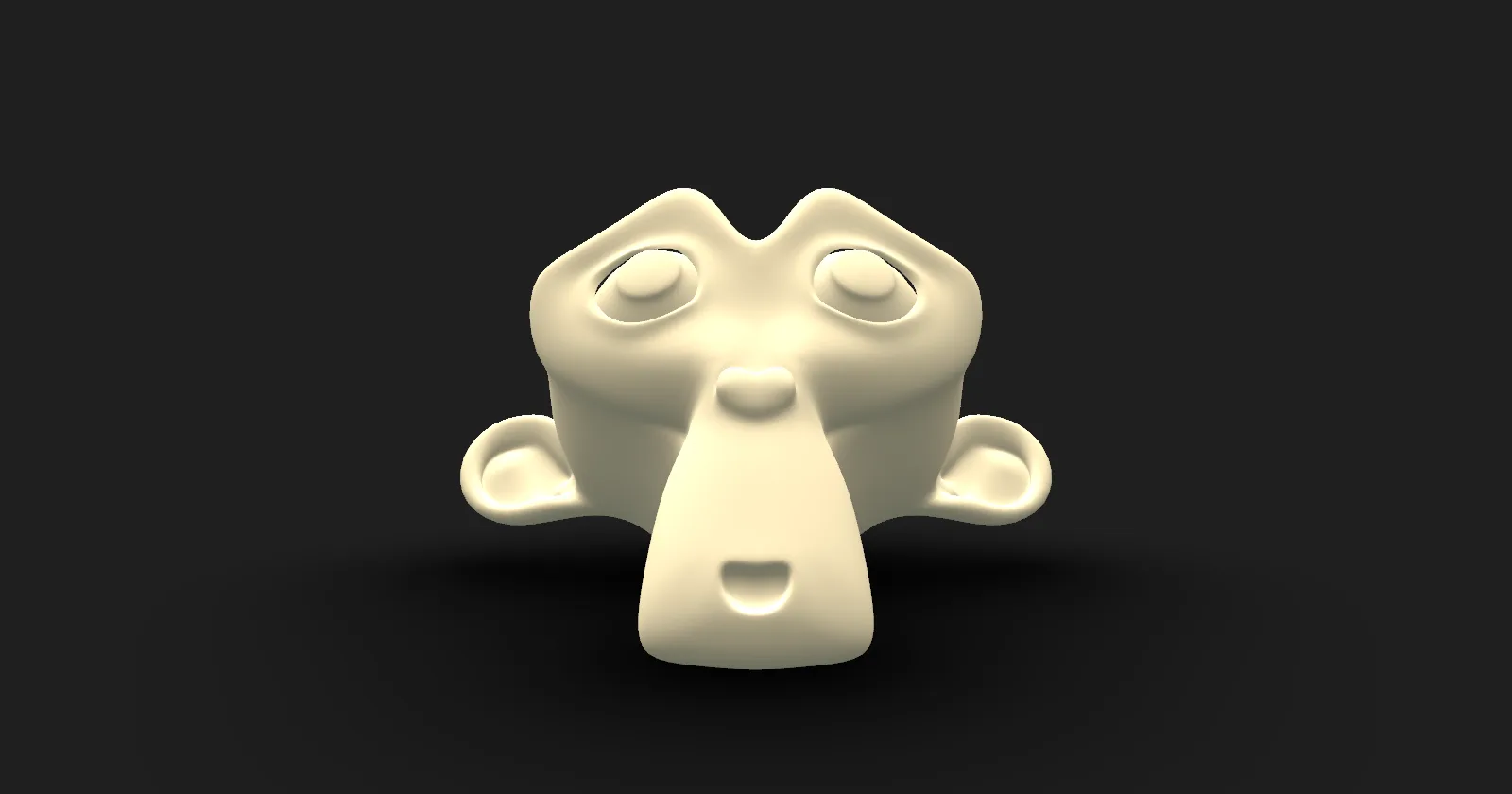](https://pmndrs.github.io/examples/sepia)
## Props
| Name | Type | Default | Description |
| ------------- | ------------- | -------------------- | ---------------------------------- |
| intensity | Number | 1 | The intensity of the effect |
| blendFunction | BlendFunction | BlendFunction.NORMAL | The blend function of this effect. |
]]>(null)
return (
<>
)
```
## Props
| Name | Type | Default | Description |
| --------- | ------- | -------- | ------------------------------------- |
| position | Vector3 | (0,0,0) | The world position of the shockwave. |
| speed | Number | 2.0 | The animation speed. |
| maxRadius | Number | 1.0 | The extent of the shockwave. |
| waveSize | Number | 0.2 | The wave size. |
| amplitude | Number | 0.05 | The distortion amplitude. |
]]>
)
```
]]>
)
```
## Props
| Name | Type | Default | Description |
| ----------------------- | --------------------------------------------------------------------------------------------------------------- | ---------------------- | --------------------------------------------------------------------------------------------------------------------------------- |
| blendFunction | [BlendFunction](https://vanruesc.github.io/postprocessing/public/docs/variable/index.html#static-variable-BlendFunction) | BlendFunction.MULTIPLY | The blend function of this effect. |
| depthAwareUpsampling | Boolean | true | Enables or disables depth-aware upsampling. Has no effect if WebGL 2 is not supported. |
| normalDepthBuffer | Texture | null | A texture with downsampled scene normals and depth, supplied automatically from ``. See [DepthDownsamplingPass](https://vanruesc.github.io/postprocessing/public/docs/class/src/passes/DepthDownsamplingPass.js~DepthDownsamplingPass.html). |
| samples | Number | 30 | The amount of samples per pixel. Should not be a multiple of the ring count. |
| rings | Number | 4 | The amount of spiral turns in the occlusion sampling pattern. Should be a prime number. |
| distanceThreshold | Number | 1 | Deprecated in favor of `worldDistanceThreshold`. A global distance threshold at which the occlusion effect starts to fade out. Range [0.0, 1.0]. |
| distanceFalloff | Number | 0.0 | Deprecated in favor of `worldDistanceFalloff`. The distance falloff. Influences the smoothness of the overall occlusion cutoff. Range [0.0, 1.0]. |
| worldDistanceThreshold | Number | undefined | The world distance threshold at which the occlusion effect starts to fade out. |
| worldDistanceFalloff | Number | undefined | The world distance falloff. Influences the smoothness of the occlusion cutoff. |
| rangeThreshold | Number | 0.5 | Deprecated in favor of `worldProximityThreshold`. A local occlusion range threshold at which the occlusion starts to fade out. Range [0.0, 1.0]. |
| rangeFalloff | Number | 0.1 | Deprecated in favor of `worldProximityFalloff`. The occlusion range falloff. Influences the smoothness of the proximity cutoff. Range [0.0, 1.0]. |
| worldProximityThreshold | Number | undefined | The world proximity threshold at which the occlusion starts to fade out. |
| worldProximityFalloff | Number | undefined | The world proximity falloff. Influences the smoothness of the proximity cutoff. |
| minRadiusScale | Number | 0.1 | The minimum radius scale. |
| luminanceInfluence | Number | 0.9 | Determines how much the luminance of the scene influences the ambient occlusion. |
| radius | Number | 20 | The occlusion sampling radius, expressed as a scale relative to the resolution. Range [1e-6, 1.0]. |
| intensity | Number | 1.0 | The intensity of the ambient occlusion. |
| bias | Number | 0.5 | An occlusion bias. Eliminates artifacts caused by depth discontinuities. |
| fade | Number | 0.01 | Influences the smoothness of the shadows. A lower value results in higher contrast. |
| color | Color | null | The color of the ambient occlusion. |
| resolutionScale | Number | 1.0 | The resolution scale. Inherits `` if set. |
| resolutionX | Number | Resolution.AUTO_SIZE | The render width. |
| resolutionY | Number | Resolution.AUTO_SIZE | The render height. |
]]>
)
```
## Props
| Name | Type | Default | Description |
| ----------------- | ------- | -------- | ------------------------------------------------------------------------------------- |
| textureSrc | String | | URL of the texture to load. |
| texture | Texture | | An already-loaded texture - alternative to `textureSrc`. |
| blendFunction | BlendFunction | | The blend function of this effect. |
| opacity | Number | 1 | The opacity of the texture. |
| aspectCorrection | Boolean | false | Deprecated. Adjust the texture's offset, repeat and center instead. |
]]>
)
```
## Props
| Name | Type | Default | Description |
| ------------- | ------------- | ------------------ | ------------------------------------------------------------ |
| blendFunction | BlendFunction | BlendFunction.NORMAL | The blend function of this effect. |
| blur | Number | 0.15 | The blur intensity. Range [0, 1] (can exceed 1 for extra). |
| taper | Number | 0.5 | The size of the sharp/in-focus area. Range [0, 1] (can exceed 1). |
| start | [Number, Number] | [0.5, 0.0] | Start point of the blur band, in screen-space percent. |
| end | [Number, Number] | [0.5, 1.0] | End point of the blur band, in screen-space percent. |
| samples | Number | 10 | The number of blur samples. |
| direction | [Number, Number] | [1, 1] | The direction of the blur. |
]]>
)
```
## Props
| Name | Type | Default | Description |
| ---------------- | ------------- | ---------------------- | ------------------------------------------ |
| blendFunction | BlendFunction | BlendFunction.ADD | The blend function of this effect. |
| offset | Number | 0.0 | The relative offset of the focus area. |
| rotation | Number | 0.0 | The rotation of the focus area, in radians. |
| focusArea | Number | 0.4 | The relative size of the focus area. |
| feather | Number | 0.3 | The softness of the focus area edges. |
| kernelSize | KernelSize | KernelSize.MEDIUM | The blur kernel size. |
| resolutionScale | Number | 0.5 | The resolution scale. |
| resolutionX | Number | Resolution.AUTO_SIZE | The horizontal resolution. |
| resolutionY | Number | Resolution.AUTO_SIZE | The vertical resolution. |
]]>
)
```
OR
```jsx
import { ToneMapping } from '@react-three/postprocessing'
import { BlendFunction } from 'postprocessing'
return (
)
```
## Example
## Props
| Name | Type | Default | Description |
| ---------------- | --------------- | ------- | ------------------------------------------------------------------- |
| mode | ToneMappingMode | | The tone mapping algorithm |
| resolution | Number | 256 | The resolution of the luminance texture. Must be a power of two. |
| adaptive | boolean | true | Toggle adaptive luminance map usage |
| blendFunction | BlendFunction | | The blend function of this effect. |
| middleGrey | Number | 0.6 | The middle grey factor. |
| maxLuminance | Number | 16 | Maximum luminance |
| minLuminance | Number | 0.01 | The minimum luminance. Prevents very high exposure in dark scenes. |
| averageLuminance | Number | 1 | The average luminance. Used for the non-adaptive Reinhard operator. |
| adaptationRate | Number | 1 | The luminance adaptation rate. |
]]>
)
```
## Example
## Props
| Name | Type | Default | Description |
| ------------- | ------------- | -------------------- | ----------------------------------- |
| eskil | Boolean | false | Enables Eskil's vignette technique. |
| blendFunction | BlendFunction | BlendFunction.NORMAL | The blend function of this effect. |
| offset | Number | 0.5 | The vignette offset. |
| darkness | Number | 0.5 | The vignette darkness. |
]]>
)
```
## Props
| Name | Type | Default | Description |
| ------------- | ------------- | ---------------------- | ---------------------------------------- |
| blendFunction | BlendFunction | BlendFunction.NORMAL | The blend function of this effect. |
| factor | Number | 0 | The distortion strength. |
]]>` (their state may be owned outside
React), so effects rendered this way must dispose themselves - use the `useDispose` hook exported by
this library for that.
```jsx
import { useMemo } from 'react'
import { PixelationEffect } from 'postprocessing'
import { useDispose } from '@react-three/postprocessing'
export function Pixelation({ granularity = 5, ref }) {
const effect = useMemo(() => new PixelationEffect(granularity), [granularity])
useDispose(effect)
return
}
```
For effects that aren't present in `postprocessing` you should extend the `Effect` class:
```jsx
import { useMemo } from 'react'
import { Uniform } from 'three'
import { Effect } from 'postprocessing'
import { useDispose } from '@react-three/postprocessing'
const fragmentShader = `some_shader_code`
// Effect implementation
class MyCustomEffectImpl extends Effect {
constructor({ param = 0.1 } = {}) {
super('MyCustomEffect', fragmentShader, {
uniforms: new Map([['param', new Uniform(param)]]),
})
}
update(renderer, inputBuffer, deltaTime) {
// read/write per-frame state on `this` (e.g. this.uniforms.get('param').value = ...),
// never on a module-level variable - that would be shared across every instance
}
}
// Effect component
export function MyCustomEffect({ param, ref }) {
const effect = useMemo(() => new MyCustomEffectImpl({ param }), [param])
useDispose(effect)
return
}
```
]]>
 ```jsx
import React from 'react'
import { Bloom, DepthOfField, EffectComposer, Noise, Vignette } from '@react-three/postprocessing'
import { Canvas } from '@react-three/fiber'
function App() {
return (
)
}
```
## Documentation
- [react-postprocessing docs](https://docs.pmnd.rs/react-postprocessing)
- [postprocessing docs](https://pmndrs.github.io/postprocessing/public/docs/)
]]>
```jsx
import React from 'react'
import { Bloom, DepthOfField, EffectComposer, Noise, Vignette } from '@react-three/postprocessing'
import { Canvas } from '@react-three/fiber'
function App() {
return (
)
}
```
## Documentation
- [react-postprocessing docs](https://docs.pmnd.rs/react-postprocessing)
- [postprocessing docs](https://pmndrs.github.io/postprocessing/public/docs/)
]]>